Android
Free trialFor phones and tablets
- Android 7.0 or later
- Version 1.0.0 · 2.5 MB
When you open the file, your phone may ask you to allow installing apps from this source.
Download APKWorks offline on Windows & Android
Patient files, dental chart, appointments, treatment plans, invoices and reports, in a modern interface in Arabic and English. It works without internet, and your clinic's data stays on your device.
Ask us on WhatsApp
Features
From the first visit to the last receipt, tools built for dentists and their teams.
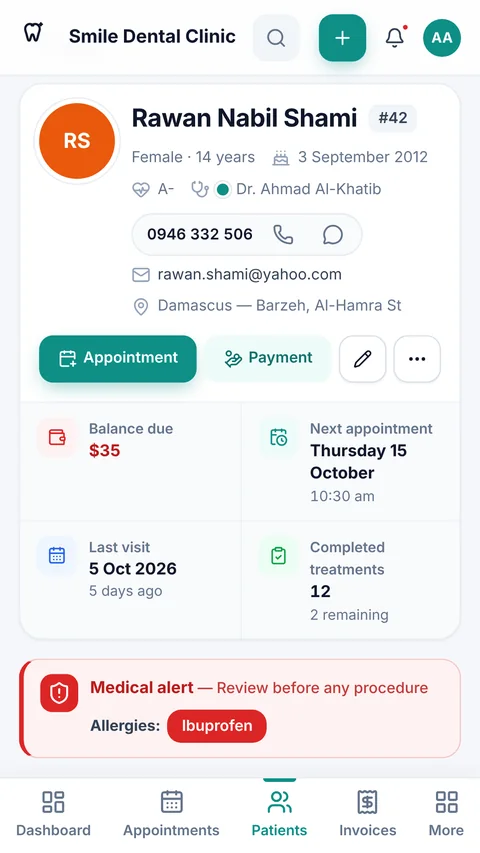
A complete file for every patient with contacts and insurance, and a clear medical alert before any procedure. Arabic-aware search, photos, X-rays, documents and clinical notes.
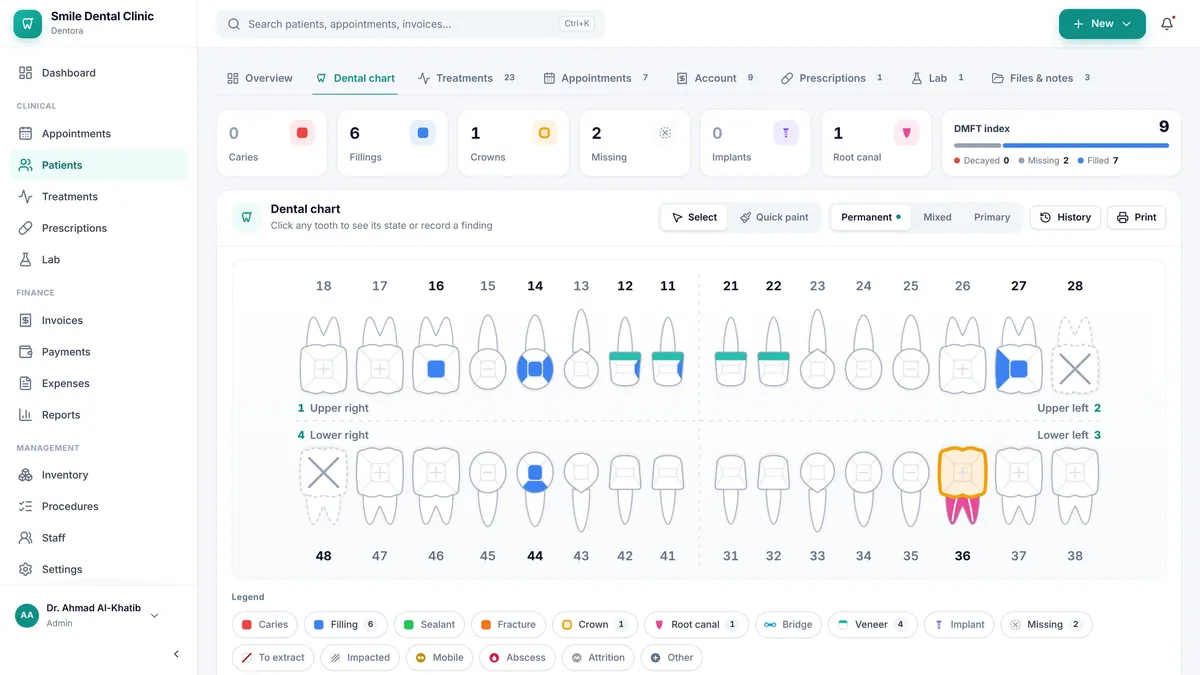
Permanent and primary teeth, a condition for every surface, quick paint mode, a full history for every tooth and a printable chart.
Day, week, month and agenda views for several doctors, with conflict detection and a ready WhatsApp reminder you review before sending.
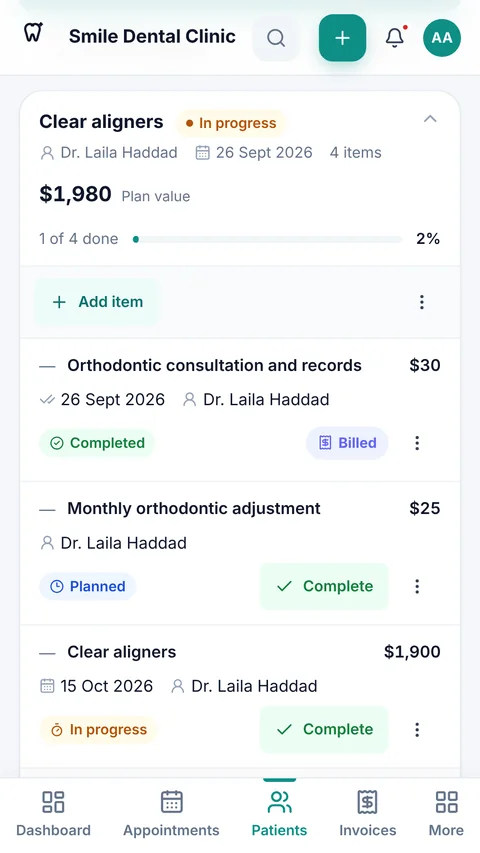
An editable procedure and price list, a treatment plan for every patient by tooth and surface, and printable estimates.
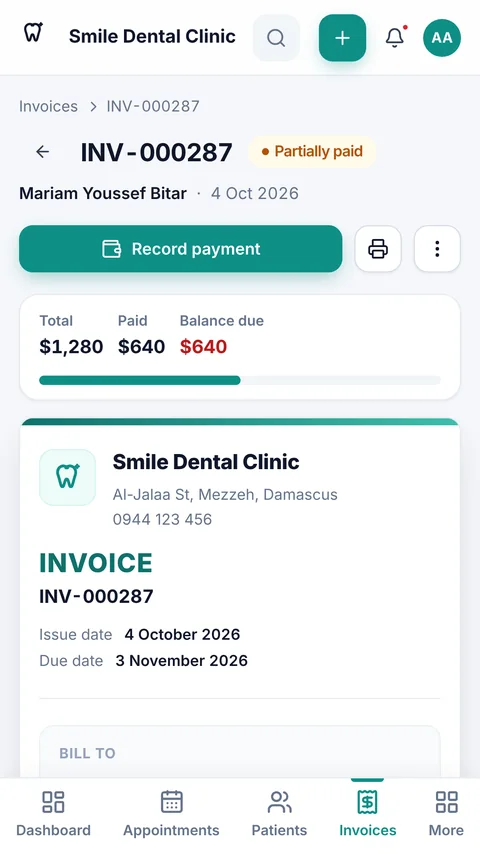
Turn finished work into an invoice in one tap. Part payments, patient balances, numbered receipts and statements, with your clinic's logo.
Prescriptions from a ready drug list, printed or shared on WhatsApp, and lab orders with status and due-date tracking.
Stock levels with low-stock and expiry alerts, and expenses by category compared with the previous period.
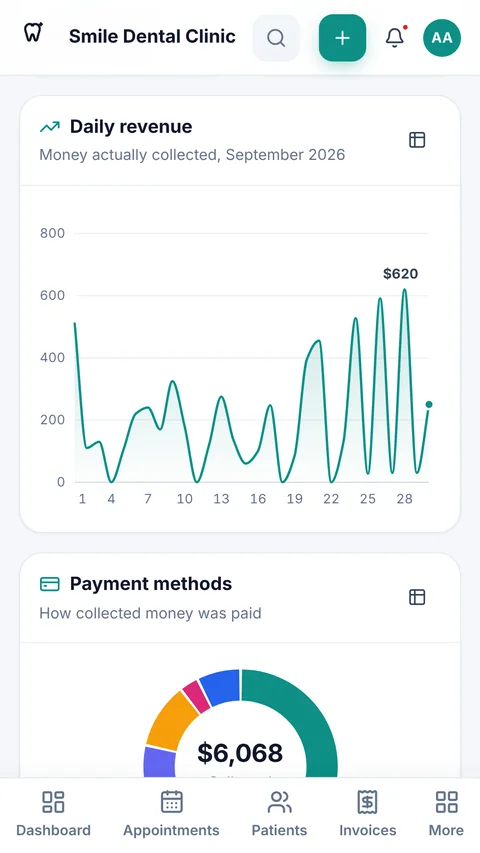
Revenue, expenses and profit by doctor, procedure and payment method, plus no-show rate and outstanding balances, with CSV export.
Every team member gets a role and permissions, signs in with a PIN on every launch, and the app locks itself when left idle.
Your whole clinic in one file you keep wherever you like, verified after saving and optionally password-protected, to restore or move to a new device.
Privacy first
No server, no account, no cloud sync. Dentora keeps everything on the clinic's own device, and nothing leaves it unless you choose to send it.
See patients and write invoices even when the connection drops: Dentora never needs the internet to run.
We collect nothing and receive nothing. No ads, no tracking, no usage statistics.
A complete backup in one file, password-protected if you like, ready to move to a new device whenever you need.
Screenshots
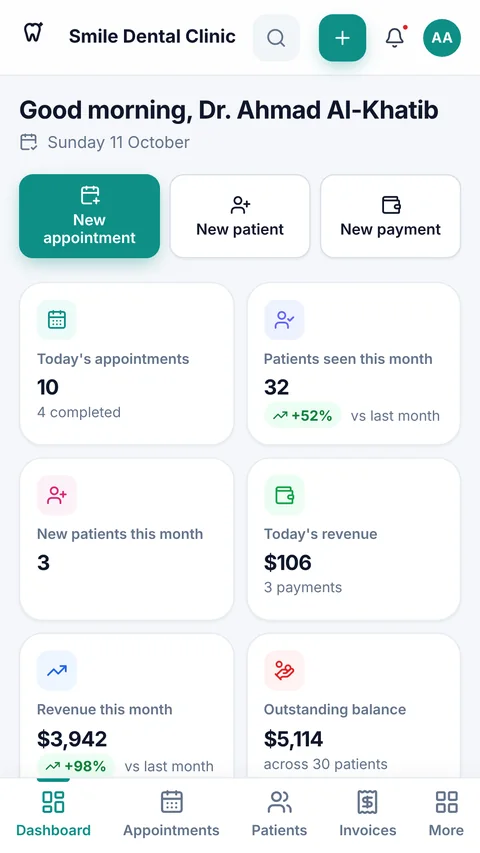
Real screens from the app, with the demo clinic it comes with, on a computer and a phone.
On Android
How to start
Try everything first, and pay only when you're convinced.
Install Dentora on a Windows computer or an Android device. Every feature is open during the trial, with no sign-up.
You'll find it in Settings → Licence, next to a button that writes the request for you.
Paste the code on the same screen and Dentora activates instantly, offline. Everything you entered during the trial stays.
Pricing
No monthly subscription and no hidden fees. Pay once, and Dentora stays activated on your clinic's device for life.
No subscription and no yearly renewal: the licence is yours for life.
Seven days free with every feature, no sign-up.
Your data stays available to view, print and back up until you activate.
No subscription
$59
Lifetime licence: just $59
One payment · one device · every feature
Included
Download
Seven days free with every feature. Install it, add your clinic, and see for yourself.
For phones and tablets
When you open the file, your phone may ask you to allow installing apps from this source.
Download APKFor desktops and laptops
No. Dentora works fully offline on your computer or phone. You only need the internet to download it and to message us for your activation code; the activation itself happens inside the app, offline.
On your device only. There is no account and no server, so we never receive or see your clinic's or patients' data, and the app has no ads or tracking.
In Settings → Backup & data, save a complete backup in one file wherever you like: a USB stick, Google Drive or your e-mail. You can protect it with a password (AES-256 encryption) and restore it on the same device or a new one.
Each licence activates one device, so every additional device needs its own licence. Because there is no server, each device keeps its own records and devices don't sync with each other.
Updating or reinstalling Dentora on the same device keeps the same device number, so your code keeps working. A new device, or a reset Windows or phone, gets a new device number that needs a new code. Always save a backup first: uninstalling the app on Android erases its data.
$59, paid once, for a lifetime licence on one device with every feature and no subscription. Try it free for 7 days first; if the trial ends before you activate, nothing is deleted, and only adding and editing pause until you enter your code.
Message us on WhatsApp at +963 996 489 504 and we'll answer your questions about installing, activating, backups and moving your clinic to a new device.
Arabic and English, and you can switch at any time in Settings. The Arabic interface is fully right-to-left with Arabic-aware search, and you choose your clinic's currency and how Arabic month names are written.
Download Dentora today and try every feature free for 7 days. No sign-up, no internet required.